アップデート:2026.10.29
日程調整が使えるようになりました。Scheduling is now available.
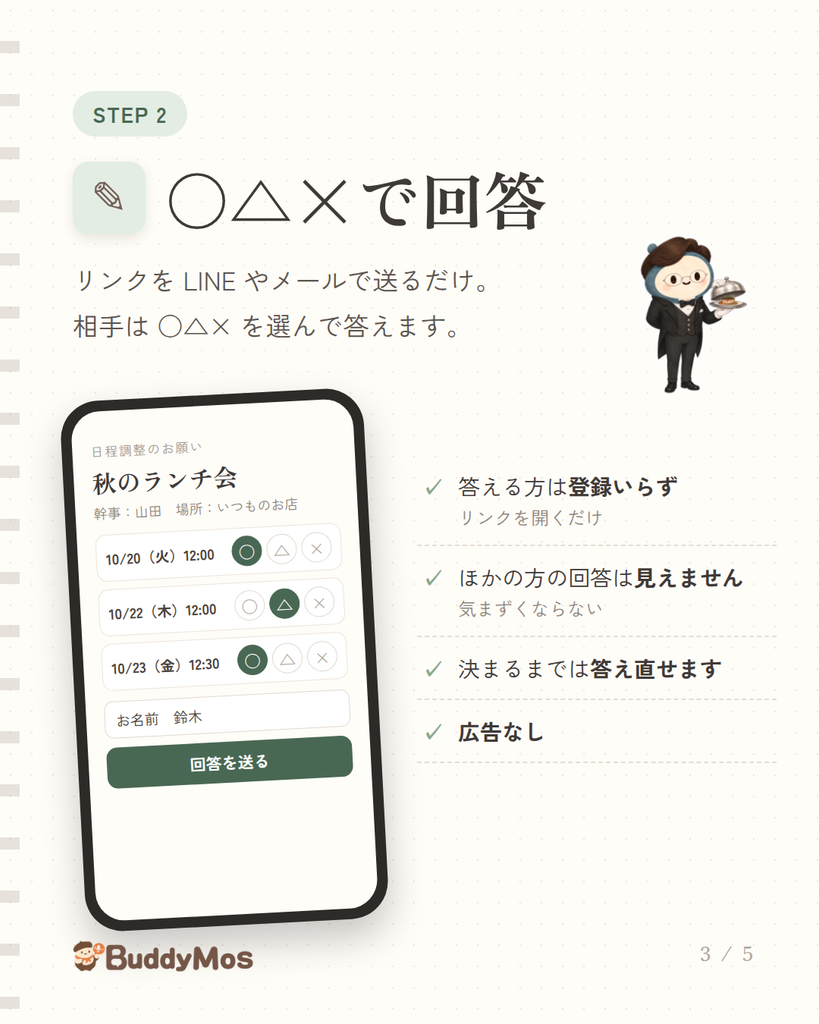
秘書セナのスキル「日程調整」をはじめました。アプリ内手帳の空いている時間から候補を出し、お相手にリンクを送信→回答が集まったら、決まった日程を手帳に書き込みます。
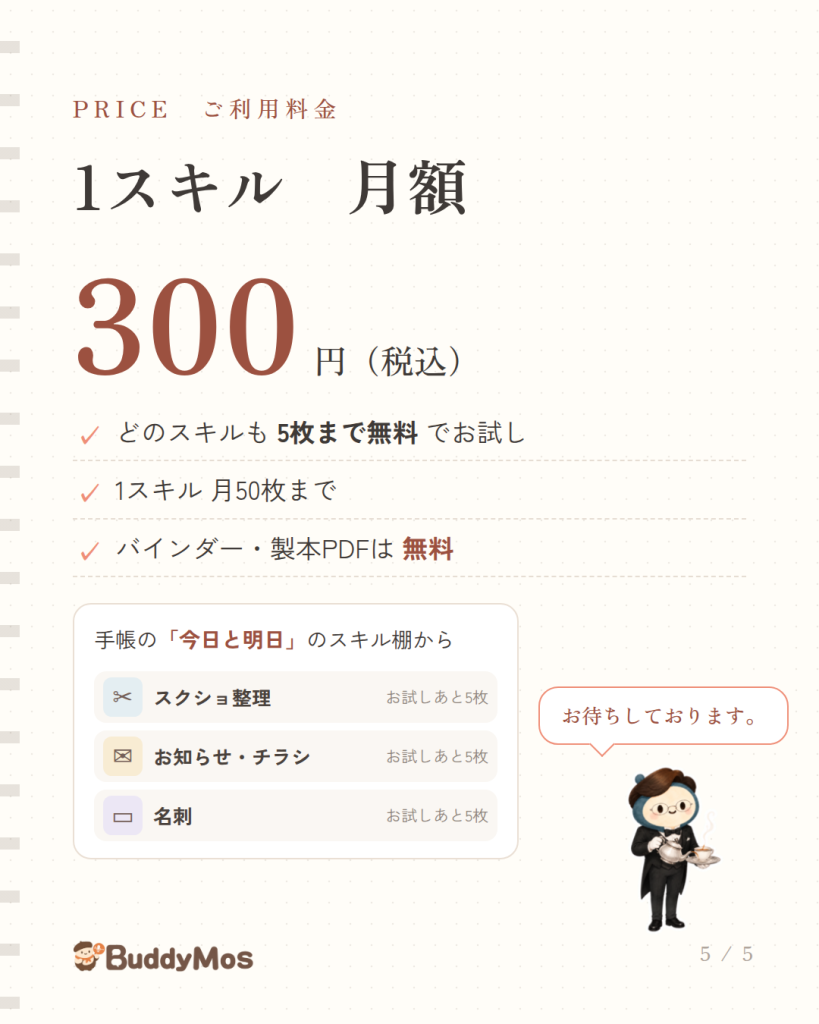
回答する方は、本アプリユーザーでなくても答えられます。BuddyMos をお使いの方は、ご自身のアプリ内手帳と見くらべて答えることもできます。電話や別のSNSで届いた回答を記入することもできます。プライバシーに配慮し、ほかの参加者のご予定は幹事以外に見えない設計なので、気にすることなくご自分の予定を回答できます。価格は他のスキルと同じく月額300円(税込)。
ユーザー間通信機能にあたるため、利用規約とプライバシーポリシーに「通信の秘密」の条を加え、電気通信事業の届出番号(A-08-24498)を記載しました。
Your secretary Sena has a new skill: Scheduling. Sena suggests times from the free slots in your in-app diary and sends your guests a link. Once the answers are in, he writes the chosen date into your diary.
Your guests don’t need to use BuddyMos to answer. If they do use BuddyMos, they can check the options against their own in-app diary while answering. You can also enter answers that reach you by phone or on another social app. To protect everyone’s privacy, only the organizer can see each guest’s answers, so guests can share their availability without worry.
Because this is a feature for communication between users, we have added an article on the secrecy of communications to our Terms of Service and Privacy Policy, and stated our Telecommunications Business Notification number.
2026年10月22日
ダイヤリーの予定が書きやすくなりました&手帳ノートが資料PDFに
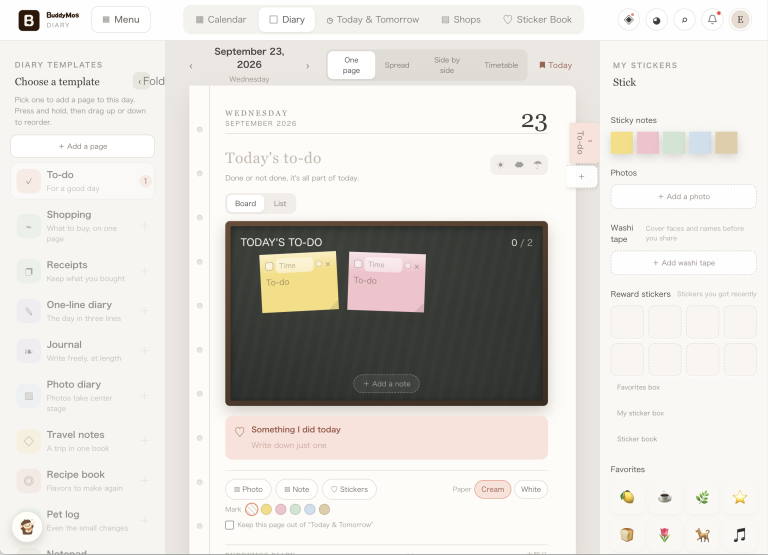
・下の「スケジュール」から、1日・週間・月間・時間割で予定を見られます。予定は[確定]で入ります。
・時間は0時〜24時。深夜や早朝の予定も書きやすくなりました。
・毎週・隔週・毎月の決まった予定は「時間割」へ書くと、カレンダーに自動で並び、前の晩にお知らせします。
・レシピブックの紙は、材料と分量を2列に。パーツごとの見出しと材料記入ができます。メイン写真も大きくなりました。料理好きのあなたに。
・バインダーの「製本してPDFにする」に「日付を入れない」を足しました。他人様にお渡しする資料づくりにもお使いください。
Easier scheduling in your diary — and notebook pages that become PDF handouts
・Tap “Schedule” at the bottom to see your plans by Day, Week, Month, or Timetable. Plans are added when you tap [Save].
・The day now runs from 0:00 to 24:00, so late-night and early-morning plans are easier to write.
・Write weekly, every-other-week, or monthly plans in the “Timetable.” They appear on your calendar automatically, and we’ll remind you the evening before.
・Recipe book pages now list ingredients and amounts in two columns. You can add headings for each part of a dish, each with its own ingredients. The main photo is bigger, too. Made for people who love to cook.
・”Bind as PDF” in your binders now has “Leave out dates,” so you can turn your pages into handouts to give to others.
2026年10月20日
秘書スキル「代筆」が追加されました。秘書セナがあなたのログ継続を「代筆」でお手伝いします。ペットログ、レシピブック、旅行日記、喫茶店巡りや、ワインのコレクションなどなど。秘書のチャット「作戦会議」から、セナに写真を見せて会話するだけで、あなたの代わりにログを代筆します。行ったお店の正式名称や住所は秘書が調べて書き添えます。代筆は秘書スキルの1つです(月額300円・月50枚、お試し5枚)。ダイヤリーのテンプレート内にある「テーマの紙」はお好みバインダーの用紙です。日記をつける(日記モード)は無料です。
New secretary skill, “Ghostwriting”. Sena, your secretary, now helps you keep up your logs by ghostwriting them: a pet log, a recipe book, a travel journal, café hopping, a wine collection, and more. In “Chat”, just show Sena a photo and talk about it, and he writes the log for you, looking up the proper names and addresses of the places you went. Ghostwriting is a secretary skill ($1.99 a month, 50 pages, 5 free to try). The “Theme page” in the diary templates is the paper for your Favorites binders. Keeping a journal (Journal mode) is free.
2026年10月19日
・秘書セナとのチャットが「作戦会議」と「日記をつける(日記モード)」になりました。
・「作戦会議」はセナとの会話からバディモスの機能を使うチャット機能。手帳に予定を書いたり、レシピ提案を呼び出したりします。なんでも雑談してください。
・「日記をつける(日記モード)」では、会話をより長く傾聴し、一日の出来事をまとめて日記に書いてくれます(途中で記述も可能です)。ご自分で日記をつけるには時間がない!と思われる方も、チャットか音声会話で気軽に日記が蓄積されます(音声会話は秘書ボイスをお使いの方)。
・入力欄に「+(写真をアップロード)」機能がつきました。セナに渡すと「手帳に貼る」(写真日記へ)などを提案します。スクショ整理・チラシ・名刺の秘書スキルにも、ここから写真を渡せます。
・1ヶ月のまとめ表示ができるようになりました。
Sena has two modes: “Chat” and “Journal”.
“Chat” is where you talk with Sena and use BuddyMos through him: add plans to your diary, ask for recipe ideas, or just chat about anything.
In “Journal”, Sena listens longer and writes up your day as a journal entry (you can also have him write it partway). Even if you never have time to keep a journal, it builds up as you chat or talk by voice (voice is with Secretary voice).
The input box now has “+” for uploading photos. Hand one to Sena and he suggests what to do, such as “Paste in diary” (onto a Photo diary page). You can also pass photos to the Screenshot, Flyer and Business card skills from here.
You can now see your diary by the week and by the month.
2026年10月17日
・手帳に貼った写真を、画面いっぱいに大きく見られるようになりました。そのまま共有や保存もできます
・セナとのおしゃべりの文字を大きくできるようになりました。上の「×2」を押すか、セナに「字を大きくして」と話しかけてください
・使い方に迷ったら、セナに聞けるようになりました(「羊ってどこ?」「名刺も読める?」など)
・利用規約(v1.4)と特定商取引法に基づく表記を改定しました(秘書ボイスの料金)
October 17, 2026
・You can now open photos on your pages full screen, and share or save them from there
・You can make the text in your chat with Sena bigger. Tap “×2” at the top, or just ask Sena for bigger text
・Not sure how something works? Just ask Sena (“Where’s the sheep?”, “Can you read business cards?”)
・Updated the Terms of Service (v1.4) and the Specified Commercial Transactions Act notice (Secretary voice pricing)
2026年10月15日
・秘書ボイス:セナが声で読み上げます(月300回まで)
- Plus に含まれます。プランに入っていなくても、月額300円(税込)で秘書ボイスだけ追加できます
- 試聴できます
・ひつじを数える 🐏:眠れない夜に、セナが羊を数えます - 「今日と明日」の天気の下から始められます
- 雨や波の音と一緒に、15分・30分・60分から選べます
- 音だけなら無料。セナの声で数えるのは、はじめて使った日から1か月無料(要アカウント)、そのあとは秘書ボイスで
・アカウントがなくても、秘書スキルの内容を見られるようになりました(お試しのときに登録)
October 15, 2026
・Secretary voice: Sena reads aloud to you (up to 300 times a month)
- Included in Plus. Without a plan, you can add it alone for $1.99/month
- Listen to a sample
・Counting sheep 🐏: on sleepless nights, Sena counts sheep for you - Start it under the weather in Today & Tomorrow
- With rain or wave sounds, for 15, 30 or 60 minutes
- The sound alone is free. Counting in Sena’s voice is free for a month from your first use (account needed), then with Secretary voice
・You can now see what each Secretary skill does without an account (sign up when you try one)
2026年10月13日
・バースデーリスト(無料・要アカウント):大切な方の誕生日を書いておくと、近づいたらお知らせします。おしゃべりの中で誕生日が出てくると、セナが「書いておきましょうか」と伺います
・好きなものバインダー:テーマを決めておくと、合う紙が自動で集まります。1週間ずつ綴じて、PDF にもできます
・ダイヤリーに「1週間」の見方:7日分を1画面で見渡せます
・手帳の文字を、明朝・あずき・うずらから選べるようになりました
・セナと「作戦会議」:手帳に書かずに、ゆっくりお話を聞きます。予定を書きたいときは「手帳に入力」に切り替えます
・セナが、おしゃべりで伺った好みを覚えて、お返事に生かすようになりました
・体調やアレルギーのことは、お使いの端末の中だけにしまっておけます(セナの金庫)
・利用規約・プライバシーポリシーを改定しました(入力した内容が生成AIの学習に使われないこと、医療・法律などの助言ではないことを明記)
October 13, 2026
・Birthday list (free, account needed): note the birthdays of people who matter, and get a reminder as the day comes. When a birthday comes up in chat, Sena offers to note it
・Favorites binders: choose a theme, and matching pages gather on their own. Bind a week at a time and make a PDF
・A Week view in the diary: see seven days at a glance
・Choose the font for your diary: Serif, Patrick Hand or Kalam
・Chat with Sena: Sena simply listens, without writing in your diary. Switch to “Add to diary” when you want to add plans
・Sena now remembers the likes you mention and uses them in replies
・Keep health and allergy notes only on your own device (Sena’s vault)
・Updated the Terms of Service and Privacy Policy (what you enter is not used to train generative AI; this is not medical or legal advice)
2026年10月5日
新機能「秘書スキル」と「バインダー」を追加しました。
・秘書スキル(各月額300円・税込/5枚まで無料でお試し)
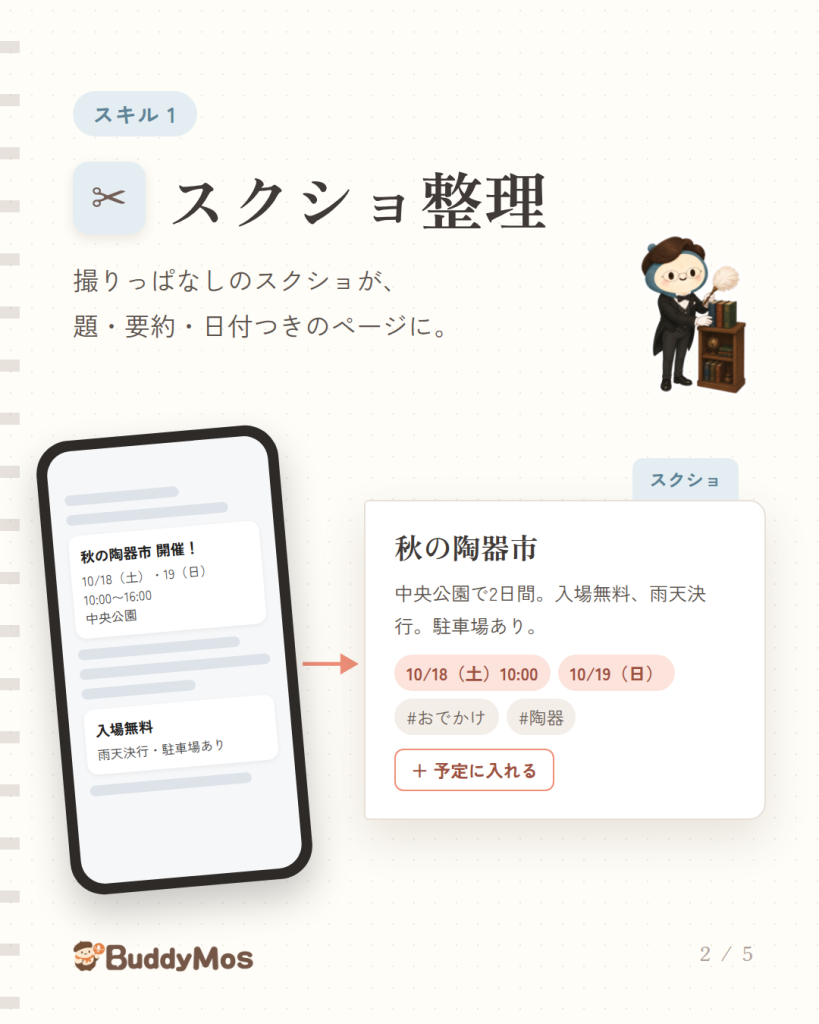
- スクショ整理:スクリーンショットを、要約と日付つきのページに
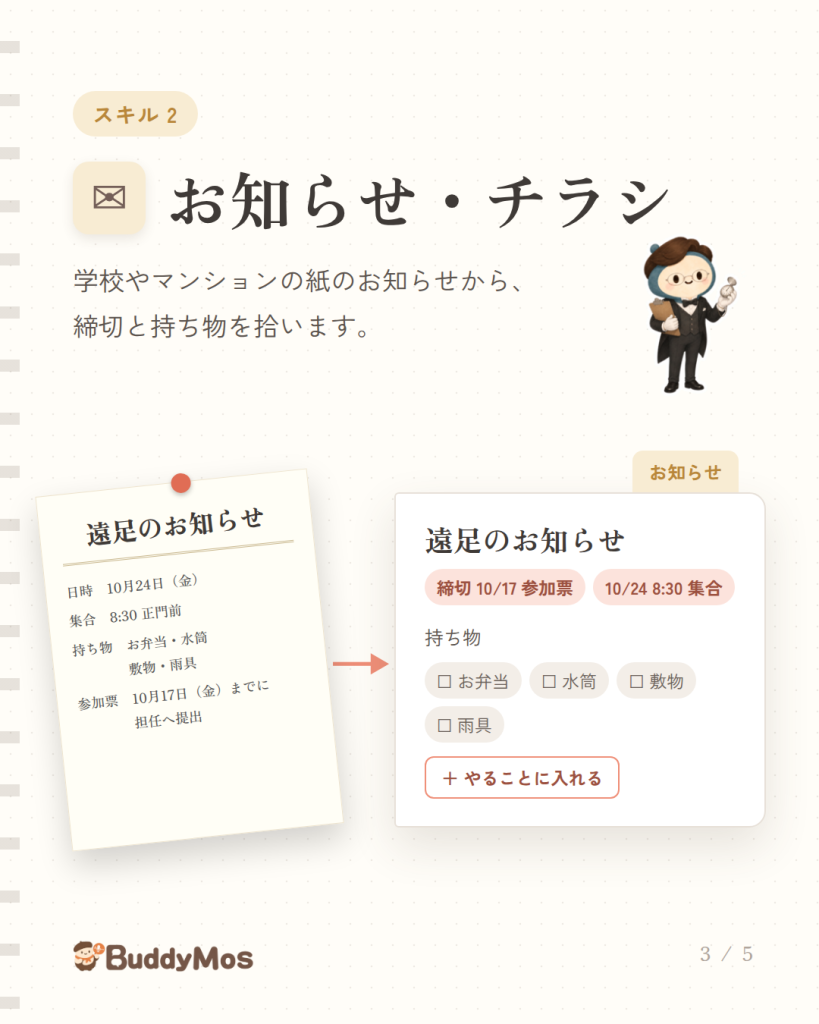
- お知らせ・チラシ:日付・締切・持ち物を読み取り
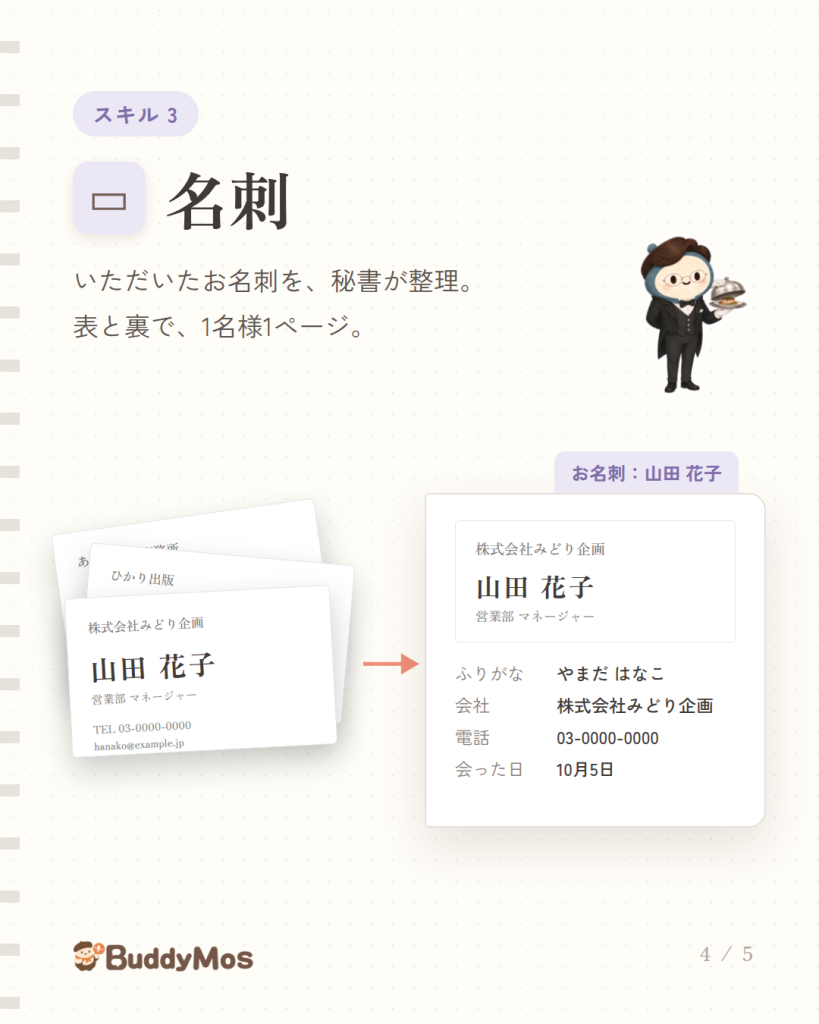
- 名刺:表と裏で1名様1ページ。切り抜き・傾きの補正にも対応
・バインダー(無料)
- ページをノートのようにめくって見られる
- 条件を決めると自動で集まるバインダー、名刺ホルダー
- 製本PDF(表紙・目次つき)、名刺の名簿PDF
・iPhone の写真(HEIC)に対応
・利用規約(v1.3)・プライバシーポリシーを改定
October 5, 2026
Added Secretary skills and Binders.
・Secretary skills ($1.99/month each; try each free for 5 images)
- Screenshots: turned into pages with a summary and dates
- Notices & flyers: reads dates, deadlines and things to bring
- Business cards: front and back on one page per person, with cropping and angle correction
・Binders (free)
- Leaf through diary pages like a notebook
- Binders that gather pages by conditions, and a card holder
- Bound PDFs (with cover and contents) and contact list PDFs of business cards
・Support for iPhone photos (HEIC)
・Updated the Terms of Service (v1.3) and Privacy Policy